Inputs
| Parameter Name | Data Type | Input Type | Default | Range | Description |
|---|---|---|---|---|---|
image1 | IMAGE | Required | - | - | The first image to be stitched |
image2 | IMAGE | Optional | None | - | The second image to be stitched, if not provided returns only the first image |
direction | STRING | Required | right | right/down/left/up | The direction to stitch the second image: right, down, left, or up |
match_image_size | BOOLEAN | Required | True | True/False | Whether to resize the second image to match the dimensions of the first image |
spacing_width | INT | Required | 0 | 0-1024 | Width of spacing between images, must be an even number |
spacing_color | STRING | Required | white | white/black/red/green/blue | Color of the spacing between stitched images |
Forspacing_color, when using colors other than “white/black”, ifmatch_image_sizeis set tofalse, the padding area will be filled with black
Outputs
| Output Name | Data Type | Description |
|---|---|---|
IMAGE | IMAGE | The stitched image |
Workflow Example
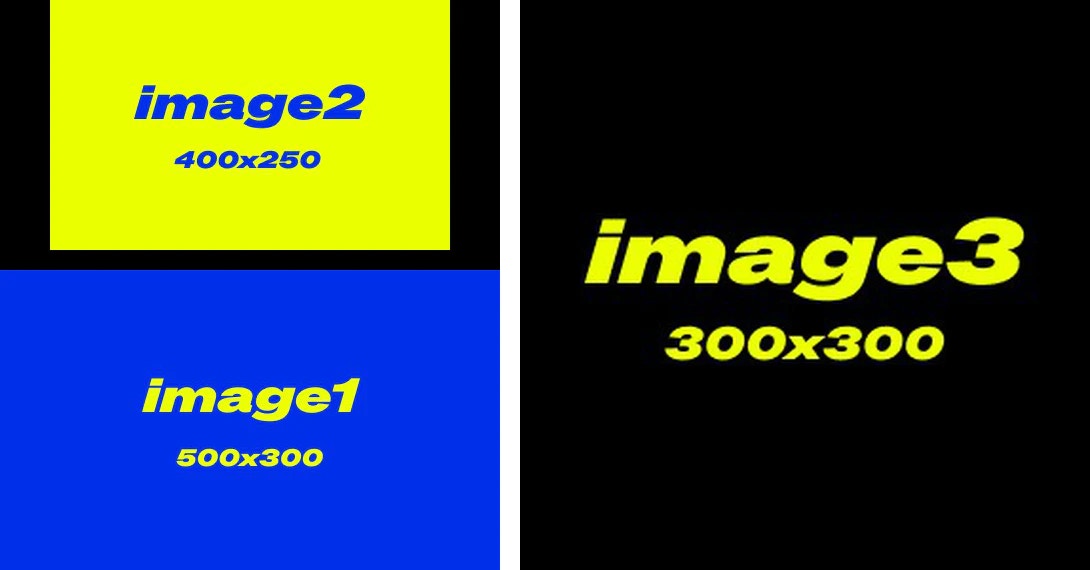
In the workflow below, we use 3 input images of different sizes as examples:- image1: 500x300
- image2: 400x250
- image3: 300x300
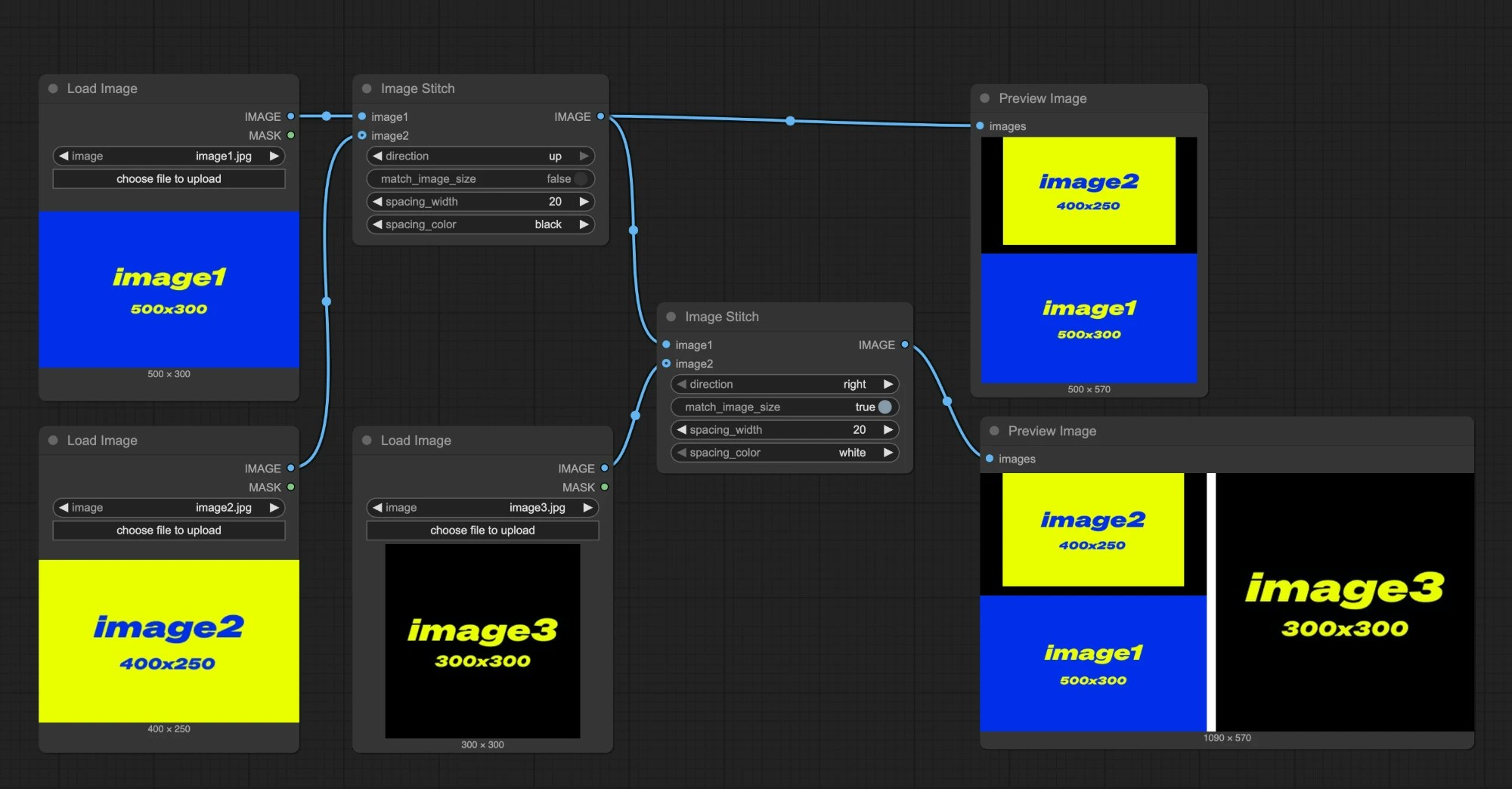
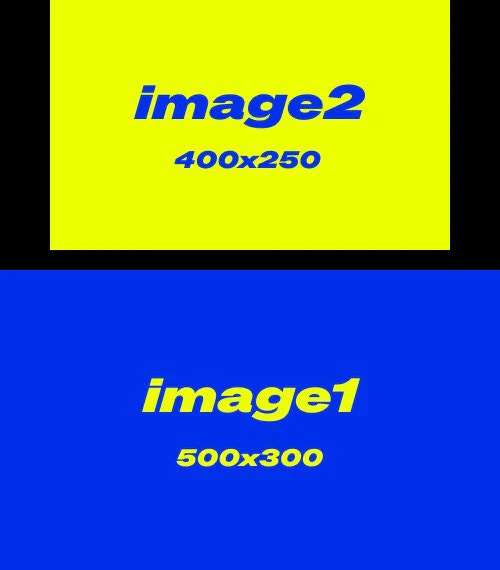
match_image_size: false, images will be stitched at their original sizesdirection: up,image2will be placed aboveimage1spacing_width: 20spacing_color: black
match_image_size: true, the second image will be scaled to match the height or width of the first imagedirection: right,image3will appear on the right sidespacing_width: 20spacing_color: white